
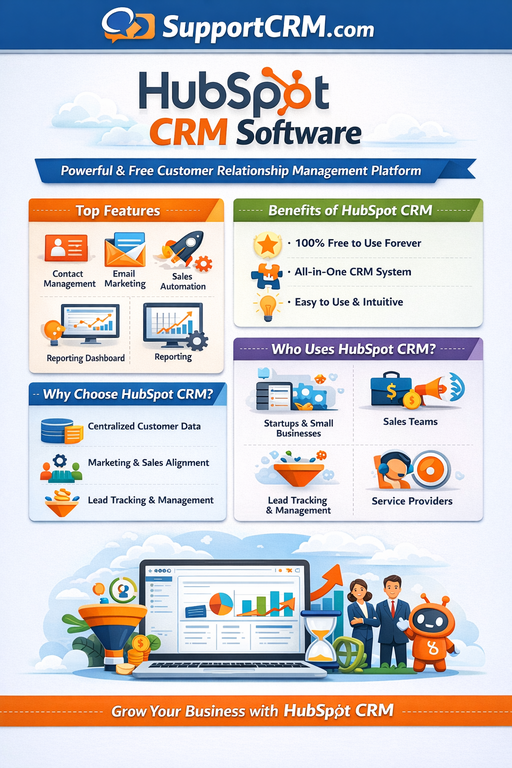
HubSpot CRM Review 2026: The #1 CRM for Small & Mid-Sized Businesses?
Last Updated: February 2026 | Expert Review | Rating: ⭐⭐⭐⭐½ (4.4/5)
Meta Description: Read our in-depth HubSpot CRM review for 2026 — covering features, pricing, pros and cons, AI tools, and how it compares to Salesforce and Zoho. Updated February 2026.
Quick Summary — HubSpot CRM at a Glance
HubSpot CRM is an all-in-one customer relationship management platform that combines marketing, sales, customer service, content management, and operations tools under one roof. Founded in 2006 and headquartered in Cambridge, Massachusetts, HubSpot pioneered the concept of inbound marketing and has grown into one of the most recognized names in business software.
With a free-forever CRM tier (unlimited users, up to 1 million contacts), HubSpot is uniquely accessible for startups and growing businesses. Its paid plans scale into enterprise-level capabilities — making it versatile for teams of all sizes.
Bottom Line: HubSpot is the best all-in-one CRM for small-to-mid-sized businesses that want to align their sales and marketing under one platform. The free plan is genuinely useful, but costs escalate quickly at higher tiers — making it less ideal for budget-constrained scaling teams.
Table of Contents
- What is HubSpot CRM?
- Who is HubSpot Best For?
- HubSpot Product Hubs Explained
- Key Features
- HubSpot Pricing Plans 2026
- Pros and Cons
- HubSpot Breeze AI Features
- Integrations & App Marketplace
- User Reviews & Ratings
- HubSpot vs Competitors
- Final Verdict
- FAQs
- Useful Links & Resources
What is HubSpot CRM? {#what-is-hubspot}
HubSpot CRM is a cloud-based, all-in-one business platform designed to help companies attract visitors, convert leads, and delight customers — all from a single unified system.
HubSpot’s main value proposition is integration: rather than juggling separate tools for email marketing, sales automation, customer support tickets, website analytics, and CRM, you get everything in one ecosystem. The free CRM tier makes it accessible for startups and small businesses, while paid tiers unlock advanced automation, AI-powered features, and sophisticated reporting capabilities.
HubSpot began as a marketing platform automation platform but has since evolved into a comprehensive CRM solution that supports nearly every aspect of customer engagement. Today, it offers six powerful hubs — Marketing, Sales, Customer Service, Content Management, Operations, and Commerce — giving organizations the tools they need to manage relationships, streamline processes, and deliver a consistently positive customer experience.
Official Website: https://www.hubspot.com
Who is HubSpot CRM Best For? {#who-is-it-for}
HubSpot is the right choice if you are:
- A startup or small business that needs a powerful free CRM to get started
- A marketing-driven company that wants sales and marketing tightly integrated
- A B2B or SaaS business focused on inbound lead generation
- A growing SMB looking for a scalable platform from free through enterprise
- A team that values ease of use and quick onboarding over deep customization
- An organization that wants marketing automation built directly into their CRM
Not ideal for: Very large enterprises with highly complex CRM needs, businesses that require extensive low-level customization, or teams on a tight scaling budget that will quickly outgrow the free plan.
HubSpot Product Hubs Explained {#hubs}
HubSpot is organized into six specialized product “Hubs” that can be used individually or bundled together:
| Hub | Purpose |
|---|---|
| Sales Hub | CRM, pipeline management, email sequences, deal tracking |
| Marketing Hub | Email marketing, lead capture, ads, automation, SEO |
| Service Hub | Helpdesk, customer tickets, live chat, knowledge base |
| Content Hub | CMS, website builder, blog, landing pages, video hosting |
| Operations Hub | Data sync, automation, workflow management, data quality |
| Commerce Hub | Payments, invoicing, subscriptions, CPQ (Configure-Price-Quote) |
Each Hub has its own Free, Starter, Professional, and Enterprise tiers — and they are all designed to work seamlessly together inside a single platform.
Key Features of HubSpot CRM {#key-features}
1. 📋 Contact & Deal Management (Free)
HubSpot’s CRM database is the foundation of everything. You can store unlimited contacts, companies, deals, and tickets even on the free plan. Each contact record automatically logs every email, call, meeting, and note — giving your entire team a 360-degree view of every customer relationship without manual data entry.
2. 🔄 Marketing & Sales Automation
HubSpot’s automation features are among the top players in the industry, helping you streamline tasks, optimize your performance, and achieve better results. For lead nurturing, automation features allow you to automate email campaigns and move contacts further down the sales/marketing funnel. You can set up triggers and conditions so you can get the right messages to prospects at exactly the right time.
3. 📊 Visual Sales Pipeline
HubSpot includes a fully visual, drag-and-drop sales pipeline that lets reps move deals between stages with a single click. HubSpot CRM features a robust pipeline management system. The software lets you create pipelines for deals and configure their stages. It also allows you to manage the lifecycle of your contacts, as well as the stages of your leads.
4. 📧 Email Tracking & Sequences
HubSpot’s email tracking allows real-time alerts when recipients open emails, aiding timely follow-ups. Email sequences automate multi-step outreach campaigns, automatically enrolling contacts based on triggers and behaviors — keeping your team on top of every lead without manual follow-up.
5. 📈 Reporting & Analytics Dashboards
HubSpot centralizes data across its CRM modules and even some third-party applications. This makes it easier for sales, marketing, and service teams to access real-time data and make informed business decisions. It ensures that reports shared across the organization are accurate and can offer deep insights.
6. 🤖 HubSpot Breeze AI (2025–2026)
The platform includes AI-powered tools through their Breeze Copilot system, which can summarize conversations, take meeting notes, and automate various tasks. The Breeze AI suite also covers intelligent content generation, prospecting recommendations, and automated data enrichment.
7. 🗓️ Meeting Scheduler
HubSpot’s built-in meeting scheduler allows prospects to book appointments directly from a calendar link — eliminating back-and-forth emails. Scheduled meetings automatically sync with your CRM contact and deal records.
8. 🌐 Inbound Marketing Tools (Marketing Hub)
HubSpot invented the concept of inbound marketing. Its Marketing Hub includes SEO tools, blog publishing, social media management, ad tracking, landing page builders, and A/B testing — all natively integrated into the CRM for seamless lead capture and attribution.
9. 🛎️ Customer Service Hub
HubSpot CRM goes beyond just managing sales and marketing — it also plays a pivotal role in enhancing customer support operations. By integrating seamlessly with customer service software, HubSpot enables businesses to unify their sales and customer support functions into a cohesive powerhouse.
10. 🔍 Data Enrichment
One particularly interesting thing about HubSpot is its data enrichment. The platform automatically pulls in additional information about your contacts and companies from public sources without any effort on your part.
HubSpot CRM Pricing Plans 2026 {#pricing}
All pricing shown per user/month, billed annually. HubSpot offers a free-forever plan and a 14-day free trial on paid plans.
Sales Hub Pricing
| Plan | Price | Users | Best For |
|---|---|---|---|
| Free | $0 | Unlimited | Startups & individuals |
| Starter | $20/user/mo | 2 included | Small teams starting out |
| Professional | $100/user/mo | 5 included | Growing sales teams |
| Enterprise | $150/user/mo | 10 included | Large sales organizations |
Marketing Hub Pricing
| Plan | Price | Best For |
|---|---|---|
| Free | $0 | Basic contact & email |
| Starter | $20/mo (1,000 contacts) | Small marketing teams |
| Professional | $880/mo (2,000 contacts) | Scaling marketing teams |
| Enterprise | $3,600/mo (10,000 contacts) | Large marketing organizations |
Important Pricing Notes
- In a major shift for 2026, HubSpot has moved away from its previous all-or-nothing seat pricing. You can now mix and match Core Seats (for general users) and Professional/Enterprise Seats (for power users), making it more cost-effective to scale a large team.
- Anything above Starter gets very expensive and requires you to pay a high onboarding fee. For the HubSpot Marketing Professional plan, this is $3,000 on top of the $890/month subscription.
- Additional costs can arise even on the highest-tier plans for exceeding limits on WhatsApp conversations, API calls, or marketing contacts. Professional users may also encounter charges for a dedicated IP ($3,600/year) or transactional emails ($7,200/year).
👉 View official HubSpot pricing here
Pros and Cons of HubSpot CRM {#pros-and-cons}
✅ Pros
- Generous free plan — Unlimited users, up to 1 million contacts, with no expiration
- All-in-one platform — Sales, marketing, service, CMS, and operations in a single tool
- Exceptional ease of use — Intuitive interface that most teams can learn quickly
- Best-in-class automation — Visual workflow builder for cross-channel automations
- Breeze AI — Powerful AI tools across all hubs for smarter, faster work
- Native inbound marketing tools — SEO, blog, social, ads, landing pages built-in
- Flexible 2026 seat pricing — Mix-and-match Core and Power seats for cost efficiency
- 1,900+ app integrations — Via HubSpot App Marketplace
- HubSpot Academy — World-class free certifications and learning resources
- Automatic data enrichment — Pulls public company data into contact records automatically
❌ Cons
- Costs escalate quickly — Costs escalate quickly at scale, reaching $3,200+/month for enterprise features.
- Key features gated behind paid tiers — Many advanced features such as predictive lead scoring, advanced reporting, and AI-powered prospecting tools are only available on higher-level plans.
- High onboarding fees — Professional and Enterprise plans require mandatory onboarding fees
- Can be overwhelming for solo users — With more than 10 tabs (each housing multiple sections), finding the features you need takes time and effort for new users.
- Limited customization at lower tiers — Select reviews note that HubSpot lacks specific customization options, such as changing module colors or generating specific report types.
- Not ideal for very large enterprises — Although HubSpot is a powerhouse for small and mid-sized companies, it may not fulfill all the needs of large, enterprise-level organizations.
HubSpot Breeze AI Features (2025–2026) {#ai-features}
HubSpot has significantly expanded its AI capabilities under the Breeze brand, consisting of three core pillars:
- Breeze Copilot — An AI assistant embedded throughout the platform that summarizes conversations, drafts emails, generates content, takes meeting notes, and surfaces next-best-action recommendations
- Breeze Agents — Autonomous AI agents for prospecting, content creation, customer service, and social media management that can work independently to complete tasks
- Breeze Intelligence — AI-powered data enrichment that automatically populates contact and company records with information sourced from 200+ million buyer profiles
HubSpot’s expanding AI ecosystem, branded under Breeze (Agents, Intelligence, and Studio), significantly strengthens its automation and productivity capabilities in 2026. These tools can dramatically improve speed, personalization, and campaign efficiency — especially for scaling teams. However, AI access is tier-dependent.
Integrations & App Marketplace {#integrations}
If you need to extend HubSpot CRM’s functionalities, you can head to the app marketplace to connect with over 1,900 other business apps and productivity tools.
Top native integrations include:
- CRM & Sales: Salesforce, Pipedrive, Zoho
- Communication: Gmail, Outlook, Slack, Zoom, Microsoft Teams
- E-commerce: Shopify, WooCommerce, Stripe
- Marketing: Mailchimp, Facebook Ads, Google Ads, LinkedIn Ads
- Productivity: Google Workspace, Microsoft 365, Asana, Trello
- Customer Support: Zendesk, Intercom, Freshdesk
HubSpot also offers a robust REST API for custom integrations with any proprietary business systems.
👉 Browse the HubSpot App Marketplace
User Reviews & Ratings {#user-reviews}
Across thousands of reviews, HubSpot scores very well overall with a weighted average of 4.37/5 from 19,472 reviews. Users love the depth and automation, but they also criticize the price, the learning curve, and occasional customer-support experiences.
| Platform | Rating | Reviews |
|---|---|---|
| G2 | ⭐ 4.4/5 | 12,000+ |
| Capterra | ⭐ 4.5/5 | 4,200+ |
| TrustRadius | ⭐ 8.5/10 | 3,100+ |
| Software Advice | ⭐ 4.5/5 | 4,000+ |
| TechRadar | ⭐ 4.5/5 | Expert review |
What users consistently love:
- Seamless integration across sales, marketing, and service
- User-friendly interface and smooth onboarding
- Powerful automation with little to no coding required
- Excellent free tier compared to any other CRM
Common user complaints:
- Steep price jump from Starter to Professional plans
- High mandatory onboarding fees at Professional/Enterprise levels
- Important features locked behind higher-priced tiers
- Limited customization options compared to Salesforce
HubSpot vs. Top Competitors 2026 {#vs-competitors}
| Feature | HubSpot | Salesforce | Zoho CRM | Freshsales |
|---|---|---|---|---|
| Free Plan | ✅ Yes (unlimited users) | ❌ No (30-day trial) | ✅ Yes | ✅ Yes |
| Starting Price | $20/user/mo | $25/user/mo | $14/user/mo | $9/user/mo |
| Ease of Use | ⭐⭐⭐⭐⭐ | ⭐⭐⭐ | ⭐⭐⭐⭐ | ⭐⭐⭐⭐ |
| Marketing Tools | ⭐⭐⭐⭐⭐ | ⭐⭐⭐ | ⭐⭐⭐ | ⭐⭐⭐ |
| Customization | ⭐⭐⭐ | ⭐⭐⭐⭐⭐ | ⭐⭐⭐⭐ | ⭐⭐⭐ |
| AI Features | ✅ Breeze AI | ✅ Agentforce | ✅ Zia AI | ✅ Freddy AI |
| Integrations | 1,900+ apps | 5,000+ apps | 800+ apps | 500+ apps |
| Best For | SMBs & marketing teams | Large enterprises | Budget teams | Small businesses |
Key Takeaway: HubSpot beats competitors on ease of use, native marketing tools, and its free tier. Salesforce wins on customization and enterprise depth. Zoho and Freshsales are more affordable for teams on tight budgets.
Final Verdict {#verdict}
Should you use HubSpot CRM in 2026?
YES, if:
- You’re a startup or growing SMB looking for a genuinely useful free CRM
- Your sales and marketing teams need to work from a unified system
- You want best-in-class inbound marketing tools built directly into your CRM
- You value ease of use, clean UX, and minimal technical setup
- You’re a B2B or SaaS business focused on inbound lead generation
NO, if:
- You’re a large enterprise requiring deep customization (consider Salesforce)
- You’re scaling rapidly and budget is tight — costs spike fast at higher tiers
- You need highly specific workflow customizations (consider Zoho)
- You want the most affordable CRM option (consider Freshsales or Zoho)
Overall Rating: 4.4/5 ⭐⭐⭐⭐½
HubSpot remains the gold standard for all-in-one CRM among small and mid-sized businesses. Its combination of a powerful free tier, seamless sales-marketing integration, world-class automation, and increasingly capable Breeze AI platform makes it a compelling choice for growth-oriented teams. Just be prepared for the costs to scale significantly as your team and feature needs grow.
👉 Get Started with HubSpot for Free →
Frequently Asked Questions (FAQs) {#faqs}
❓ What is HubSpot CRM?
HubSpot CRM is a free, cloud-based customer relationship management platform that helps businesses manage contacts, track sales pipelines, automate marketing, and deliver customer service — all from one centralized platform.
❓ Is HubSpot CRM really free?
Yes. HubSpot offers a genuinely free CRM with no time limit, supporting unlimited users and up to 1 million contacts. Advanced features like automation sequences, A/B testing, and predictive lead scoring require paid plans.
❓ How much does HubSpot cost?
HubSpot’s Sales Hub starts at $20/user/month (Starter), rising to $100/user/month (Professional) and $150/user/month (Enterprise), billed annually. Marketing Hub pricing scales based on contact volume.
❓ What is HubSpot Breeze AI?
Breeze is HubSpot’s AI platform, consisting of Breeze Copilot (an embedded AI assistant), Breeze Agents (autonomous task-completing AI agents), and Breeze Intelligence (AI-powered data enrichment). Most Breeze AI features are available on Professional and Enterprise plans.
❓ How does HubSpot differ from Salesforce?
HubSpot is easier to use, more affordable at entry levels, and has stronger built-in marketing tools. Salesforce is more powerful, highly customizable, and better suited for large enterprises with complex sales needs.
❓ Can HubSpot replace my email marketing tool?
Yes. HubSpot Marketing Hub includes email marketing, automation, list segmentation, A/B testing, and advanced analytics — making it a capable replacement for standalone tools like Mailchimp for most SMBs.
❓ Does HubSpot integrate with Salesforce?
Yes. HubSpot has a native, bi-directional Salesforce integration that keeps both platforms in sync — useful for companies that use Salesforce as their system of record but want HubSpot’s marketing tools.
❓ Is HubSpot good for e-commerce businesses?
Yes. HubSpot integrates with Shopify, WooCommerce, and Stripe, and its Commerce Hub includes native payments, invoicing, and subscription management — making it well-suited for e-commerce and SaaS businesses.
❓ What industries use HubSpot?
HubSpot is widely used across B2B SaaS, marketing agencies, professional services, e-commerce, healthcare, education, nonprofits, and manufacturing — essentially any business that relies on inbound marketing or multi-touch customer journeys.
❓ Does HubSpot offer customer support?
Yes. HubSpot provides live chat support within the dashboard on all plans. Phone and email support are available on Starter and above. Enterprise plans include priority support, and all users have free access to the extensive HubSpot Knowledge Base and HubSpot Academy courses.
❓ What is HubSpot Academy?
HubSpot Academy is HubSpot’s free online learning platform offering certifications in inbound marketing, sales, content marketing, email marketing, and HubSpot product usage. It is one of the most respected free marketing education resources available online.
Useful Resources & Links {#links}
- 🌐 HubSpot Official Website
- 💰 HubSpot Pricing Page
- 🆓 Start Your Free HubSpot Account
- 📦 HubSpot App Marketplace
- 📚 HubSpot Academy — Free Certifications
- 📖 HubSpot Knowledge Base
- 🤖 HubSpot Breeze AI Overview
- 📞 HubSpot Support
- 🔗 HubSpot vs Salesforce Comparison
- 🔗 HubSpot vs Zoho Comparison
This article is independently written and regularly updated based on expert testing and verified user reviews. We may earn a commission if you purchase through links on this page, at no extra cost to you.
Last updated: February 2026