
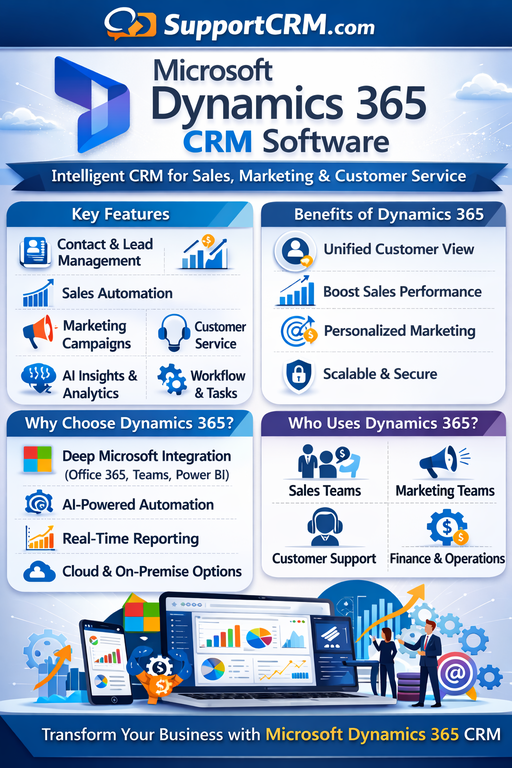
Microsoft Dynamics 365 CRM Review 2026: Is It the Best Enterprise CRM?
Last Updated: February 2026 | Expert Review | Rating: ⭐⭐⭐⭐ (4.2/5)
Meta Description: In-depth Microsoft Dynamics 365 CRM review for 2026. Covers all features, pricing plans, pros & cons, Copilot AI updates, integrations, and how it compares to Salesforce and HubSpot. Updated February 2026.
Quick Summary — Microsoft Dynamics 365 at a Glance
Microsoft Dynamics 365 is an enterprise-grade cloud CRM and ERP platform built by Microsoft. It unifies sales, customer service, marketing, field service, finance, and operations into one tightly integrated ecosystem — and is uniquely powerful for organizations already embedded in the Microsoft stack (Outlook, Teams, Azure, Power BI, SharePoint).
First launched in 2016 as a rebrand of Microsoft Dynamics CRM, Dynamics 365 has evolved into one of the most comprehensive business platforms in the world. Its deep integration with Microsoft 365 Copilot and autonomous AI agents makes it especially relevant for enterprises entering the age of AI-powered operations in 2026.
Bottom Line: Microsoft Dynamics 365 is the #1 CRM for enterprises that run on Microsoft tools. Unmatched for organizations that need deep CRM-ERP integration, powerful AI via Copilot, and scalability across every business function. It is expensive and complex — not recommended for small businesses or teams seeking a quick, easy deployment.
Table of Contents
- What is Microsoft Dynamics 365?
- Who is Dynamics 365 Best For?
- Dynamics 365 Apps & Modules Explained
- Key Features
- Microsoft Dynamics 365 Pricing 2026
- Pros and Cons
- Microsoft Copilot AI & Agent Features (2025–2026)
- Integrations & Power Platform
- User Reviews & Ratings
- Dynamics 365 vs. Top Competitors
- Final Verdict
- FAQs
- Useful Links & Resources
What is Microsoft Dynamics 365? {#what-is-dynamics}
Microsoft Dynamics 365 is a cloud-based suite of intelligent business applications that integrates CRM (Customer Relationship Management) and ERP (Enterprise Resource Planning) capabilities under one unified platform.
Unlike standalone CRMs such as HubSpot or Salesforce, Dynamics 365 is designed as an end-to-end business solution — covering not just sales and marketing, but also finance, operations, supply chain, project management, field service, and HR. This makes it a particularly compelling choice for large organizations that want to consolidate multiple systems into a single, Microsoft-powered ecosystem.
Dynamics 365 is deeply integrated with the Microsoft 365 productivity suite — meaning your teams can access CRM data, AI insights, and customer records directly inside Outlook, Teams, Excel, and SharePoint — without switching applications.
Official Website: https://www.microsoft.com/en-us/dynamics-365
Who is Microsoft Dynamics 365 Best For? {#who-is-it-for}
Dynamics 365 is the ideal choice for:
- Mid-size to large enterprises already invested in the Microsoft 365 ecosystem
- Organizations needing both CRM and ERP in a single, unified platform
- Companies with complex sales processes requiring deep pipeline customization and AI-powered forecasting
- Industries with field service needs — manufacturing, utilities, healthcare, real estate
- Data-intensive organizations that rely on Power BI for advanced business intelligence
- Businesses requiring enterprise-grade compliance and security (government, finance, healthcare)
- Teams using Microsoft Teams and Outlook daily who want CRM data embedded in their workflow
Not ideal for: Startups, micro-businesses, or teams on tight budgets. Dynamics 365 can be overkill and overly complex for simple sales tracking needs. Businesses without Microsoft 365 may find value in Salesforce or HubSpot instead.
Dynamics 365 Apps & Modules Explained {#modules}
Dynamics 365 uses a modular architecture — you buy only the apps your business needs and can combine them over time. The primary applications are:
| Application | Purpose |
|---|---|
| Dynamics 365 Sales | Core CRM: pipeline management, lead scoring, opportunity tracking |
| Dynamics 365 Customer Service | Help desk, case management, omnichannel support |
| Dynamics 365 Customer Insights | Customer data platform, journey orchestration, real-time personalization |
| Dynamics 365 Field Service | Work order management, scheduling, dispatching for field teams |
| Dynamics 365 Marketing | Multi-channel campaign management, lead generation, event management |
| Dynamics 365 Finance | Accounting, financial close, global compliance, AI-driven forecasting |
| Dynamics 365 Supply Chain Management | Inventory, procurement, warehouse, demand planning |
| Dynamics 365 Project Operations | Project planning, resource scheduling, billing for professional services |
| Dynamics 365 Business Central | All-in-one ERP solution for small-to-medium businesses |
The ability to combine CRM and ERP modules in one platform is a key differentiator that separates Dynamics 365 from pure-play CRMs like Salesforce or HubSpot.
Key Features of Microsoft Dynamics 365 CRM {#key-features}
1. 📊 Unified Sales Pipeline & Opportunity Management
Dynamics 365 Sales provides complete visibility into every deal across your pipeline with interactive dashboards, automated deal stage tracking, and AI-generated pipeline health alerts. Sales managers get real-time insight into team performance, win/loss patterns, and forecast accuracy — all within a single view.
2. 🤖 Microsoft Copilot — AI Across Every Module
Copilot is embedded natively throughout Dynamics 365, providing an AI assistant that summarizes customer records, drafts emails, recaps meetings, flags at-risk deals, and surfaces next-best-action recommendations — directly within the workflow, without switching apps. In the 2025 Release Wave 2, Copilot now includes autonomous AI agents that work 24/7 to research and engage leads, drive purchase intent, and surface emergent deal risks.
3. 📈 Power BI — Advanced Analytics & Reporting
Dynamics 365 integrates natively with Microsoft’s Power BI platform, one of the most powerful business intelligence tools available. Users can build custom dashboards with live data from across CRM and ERP modules, visualize trends, and share real-time reports across the organization — all without exporting data or using third-party BI tools.
4. 📧 Outlook & Teams Integration — CRM in the Flow of Work
One of Dynamics 365’s most praised features is its native integration with Microsoft Outlook and Teams. The Copilot for Sales add-in allows sales reps to view and update CRM records, track email opens, log activities, and see account history — directly from their Outlook inbox — without switching to the CRM interface. Meetings scheduled in Teams automatically sync with CRM opportunity and contact records.
5. 🗃️ Contact & Account Management (360-Degree View)
Dynamics 365 maintains a comprehensive record for every customer, prospect, and account — including full interaction history, related contacts, open opportunities, service cases, and financial data (when linked to Finance modules). Its AI-powered duplicate detection automatically identifies and consolidates duplicate contact entries, keeping your database clean and accurate.
6. 🗓️ AI-Powered Lead Management & Scoring
The platform uses AI to automatically qualify leads based on intent signals, engagement behavior, and ideal customer profile fit. Low-intent leads are automatically disqualified, keeping pipeline focus sharp. The 2025 Wave 2 release introduced Copilot Agents that independently research leads across multiple data sources and generate personalized outreach — helping sales teams scale without increasing headcount.
7. 🛎️ Customer Service & Omnichannel Support
Dynamics 365 Customer Service provides enterprise-grade case management with AI-driven routing that considers agent availability, skill level, and priority to assign cases efficiently. Contextual suggestions, AI-generated email drafts, and case resolution prompts are delivered directly within the agent workflow — cutting response times and improving service consistency.
8. 🌍 Field Service Management
Dynamics 365 Field Service is a specialized module for organizations with mobile or field-based workforces. It includes scheduling and dispatching, work order management, planned maintenance agreements, technician performance analytics, and an AI-powered mobile app that field workers can use from their smartphones.
9. 🔒 Enterprise Security & Compliance
Dynamics 365 is built on Microsoft Azure, providing enterprise-grade security including role-based access control (RBAC), data encryption at rest and in transit, audit logging, Microsoft Purview compliance management, and support for global regulatory frameworks including GDPR, HIPAA, and ISO 27001. It is one of the most security-compliant CRM platforms available.
10. ⚙️ Power Platform — Low-Code Customization
Dynamics 365 integrates seamlessly with Microsoft’s Power Platform suite — including Power Apps (low-code app building), Power Automate (workflow automation), Power BI (analytics), and Copilot Studio (custom AI agent creation) — enabling businesses to extend and customize the platform without traditional software development.
Microsoft Dynamics 365 Pricing 2026 {#pricing}
All pricing is billed annually per user/month unless stated otherwise. Dynamics 365 does not offer a permanent free plan, but free trials are available for most applications.
Dynamics 365 Sales Pricing
| Plan | Price | Key Features |
|---|---|---|
| Sales Professional | $65/user/mo | Core CRM, pipeline, Outlook integration, basic reporting |
| Sales Enterprise | $95/user/mo | Everything in Pro + AI forecasting, relationship health, Copilot |
| Sales Premium | $135/user/mo | Enterprise + Sales Accelerator, conversation intelligence |
| Microsoft Relationship Sales | $162/user/mo | Premium + LinkedIn Sales Navigator integrated |
| Copilot for Sales | $50/user/mo (add-on) | AI drafts, meeting recaps, Outlook/Teams embedded AI |
Dynamics 365 Customer Service Pricing
| Plan | Price | Key Features |
|---|---|---|
| Customer Service Professional | $50/user/mo | Case management, knowledge base, M365 integration |
| Customer Service Enterprise | $95/user/mo | Pro + Power BI, Teams connectivity, advanced analytics |
| Customer Service Premium | $195/user/mo | Enterprise + embedded intelligence, unified routing, portals |
Dynamics 365 Customer Insights Pricing
| Plan | Price | Key Features |
|---|---|---|
| Customer Insights | $1,700/tenant/mo | Unlimited users, 100,000 unified profiles, AI-powered CDP |
Key Pricing Notes
- Dynamics 365 is billed annually across all plans and starts at $65 per user, per month for the Sales Professional plan, which sits at the upper end of the average small and midsize business (SMB) budget range of $35–$70 per user.
- Microsoft Dynamics 365 Sales can incur additional costs for add-ons such as AI-driven Sales Insights, Customer Insights, expanded storage, and third-party integrations, which can significantly increase total expenses.
- The Enterprise Premium plan requires a 10-seat minimum and direct contact with Microsoft sales for pricing.
- Implementation costs for enterprise deployments typically range from $15,000 to $100,000+ depending on customization requirements.
👉 View official Microsoft Dynamics 365 pricing here
Pros and Cons of Microsoft Dynamics 365 {#pros-and-cons}
✅ Pros
- Deep Microsoft ecosystem integration — Native sync with Outlook, Teams, SharePoint, Excel, Power BI, and Azure
- Combined CRM + ERP — Only major platform that truly unifies customer management and back-office operations
- World-class AI with Copilot — Autonomous agents and embedded AI across every module for 2025–2026
- Power Platform extensibility — Low-code tools to build custom apps, automate workflows, and create AI agents without heavy development
- Enterprise security & compliance — Azure-backed, globally compliant with GDPR, HIPAA, ISO 27001
- Highly customizable — Extremely flexible to fit complex, industry-specific workflows and processes
- Scalable across every business function — From sales to finance to supply chain, all in one platform
- Power BI integration — Industry-leading business intelligence built directly into the CRM
- LinkedIn Sales Navigator integration — Native connection for social selling and relationship-building
- Mobile app — Fully-featured iOS and Android apps for sales reps and field teams
❌ Cons
- High cost — Starting at $65/user/month; enterprise deployments can cost tens of thousands in annual licensing alone
- Complex implementation — The initial setup was complex and required a steep learning curve. Enterprise configurations often require specialized consultants
- Not ideal for small businesses — Dynamics 365 is suitable for large organizations. For small groups, the cost may be burdensome.
- Non-Microsoft integrations require extra effort — Integrating with non-Microsoft third-party applications can sometimes require additional effort or custom development.
- Confusing licensing model — Multiple modules and add-ons with different pricing tiers make licensing complex and hard to budget
- Overwhelming for new users — The extensive feature set may be overwhelming for those new to CRM systems. Significant training investment required
- Performance with large data sets — Some users report performance slowdowns when working with very large data volumes
- Dashboard UX could be better — The dashboard could use an upgrade for better user experience. The current layout makes it difficult to quickly access and display key metrics.
Microsoft Copilot AI & Agent Features (2025–2026) {#ai-features}
Microsoft has made Copilot AI the centerpiece of its entire Dynamics 365 platform strategy. The 2025 Release Wave 2 (October 2025 – March 2026) brings transformative AI capabilities:
Copilot in Dynamics 365 Sales
Dynamics 365 Sales sets a new standard for CRM by putting AI and Copilot at the heart of every sales process. With deep insights, predictive analytics, and automated lead engagement, you can focus on building relationships while autonomous agents handle the busywork and help you stay on top of what’s most important so you can close more deals faster.
Key Copilot capabilities in Sales include:
- Lead Research Agents — AI agents that independently research leads across multiple sources to give sellers full context before outreach
- Automated Personalized Outreach — AI generates personalized emails and follow-ups based on lead behavior and history
- Opportunity Summaries — Instantly catch up on any deal with AI-generated summaries of recent activities, email threads, and next steps
- Meeting Preparation — Copilot automatically prepares meeting briefs, pulling relevant account news, recent interactions, and open opportunities
Copilot in Dynamics 365 Customer Service
Provides contextual suggestions, email drafts, and case resolution prompts directly within the workflow. This AI assistant helps cut down on response time and improve consistency across customer interactions.
Copilot in Customer Insights
Microsoft Dynamics 365 Customer Insights – Data enhances Microsoft Copilot and agents with real-time, unified customer profiles, enabling teams to act on insights within their workflow. With enriched data, seamless platform integration, and faster processing, businesses can deliver timely, personalized experiences that boost engagement and conversions.
Sales Development Agent (Microsoft Ignite 2025)
Sales Development Agent helps scale your sales team’s capacity — working autonomously on your behalf to help build pipeline, nurture leads, and personalize outreach, so sellers can focus on closing deals. It connects to sales data in CRM tools like Dynamics 365 and can take action right in the flow of work in the Microsoft 365 apps.
Integrations & Power Platform {#integrations}
Native Microsoft Integrations
Dynamics 365 integrates deeply and natively with the entire Microsoft ecosystem:
- Microsoft Outlook — Email tracking, CRM record access, Copilot for Sales add-in
- Microsoft Teams — Meeting sync, CRM context in calls, deal room collaboration
- Microsoft Excel — Export/import CRM data, pivot table reporting
- SharePoint — Document storage linked to CRM accounts and opportunities
- Power BI — Real-time dashboards and advanced analytics
- Azure — Cloud infrastructure, AI services, security, and data storage
- LinkedIn Sales Navigator — Social selling and relationship intelligence
- Microsoft 365 Copilot — AI assistant embedded across all apps
Third-Party Integrations
Dynamics 365 connects to thousands of third-party applications via:
- Microsoft AppSource — 5,000+ add-ons and integrations for Dynamics 365
- Power Automate — No-code workflows connecting Dynamics 365 to any app with an API
- Dataverse APIs — REST APIs for custom integrations with any business system
- Popular connectors: Salesforce, SAP, Shopify, Mailchimp, DocuSign, Zendesk, ServiceNow, and more
👉 Browse the Microsoft AppSource marketplace
User Reviews & Ratings {#user-reviews}
| Platform | Rating | Reviews |
|---|---|---|
| G2 | ⭐ 3.8/5 | 3,800+ |
| Capterra | ⭐ 4.3/5 | 5,800+ |
| TrustRadius | ⭐ 7.8/10 | 2,500+ |
| Software Advice | ⭐ 4.4/5 | 5,700+ |
| TechRadar | ⭐ 4.0/5 | Expert review |
What users consistently love:
- Seamless, deep integration with Outlook, Teams, and Microsoft 365
- Powerful combined CRM and ERP capabilities
- Excellent customization and flexibility for complex enterprise workflows
- Robust Power BI reporting and real-time analytics
- Increasingly powerful AI through Microsoft Copilot
Common user complaints:
- High pricing, especially as modules and add-ons accumulate
- Complex implementation; often requires external consultants
- Steep learning curve for new users unfamiliar with Microsoft enterprise tools
- Licensing can be confusing with many different modules and tiers
- Performance can slow with very large data sets
Microsoft Dynamics 365 vs. Top Competitors 2026 {#vs-competitors}
| Feature | Dynamics 365 | Salesforce | HubSpot | Zoho CRM |
|---|---|---|---|---|
| Starting Price | $65/user/mo | $25/user/mo | Free / $20/user/mo | Free / $14/user/mo |
| Free Plan | ❌ No (free trial) | ❌ No (30-day trial) | ✅ Yes | ✅ Yes |
| CRM + ERP | ✅ Full ERP included | ❌ CRM only | ❌ CRM only | ⚠️ Limited ERP via Zoho One |
| AI Features | ✅ Copilot + AI Agents | ✅ Agentforce | ✅ Breeze AI | ✅ Zia AI |
| Microsoft Integration | ⭐⭐⭐⭐⭐ Native | ⭐⭐⭐ Via connectors | ⭐⭐⭐ Via connectors | ⭐⭐ Limited |
| Ease of Use | ⭐⭐⭐ | ⭐⭐⭐ | ⭐⭐⭐⭐⭐ | ⭐⭐⭐⭐ |
| Customization | ⭐⭐⭐⭐⭐ | ⭐⭐⭐⭐⭐ | ⭐⭐⭐ | ⭐⭐⭐⭐ |
| Best For | Microsoft-stack enterprises | Large enterprises | SMBs & marketing teams | Budget-conscious teams |
| Implementation Complexity | Very High | High | Low | Medium |
Key Takeaway: Dynamics 365 is unmatched for Microsoft-first enterprises that need CRM and ERP together. Salesforce is a stronger pure-CRM for non-Microsoft enterprises. HubSpot wins on ease of use and marketing integration. Zoho is the best budget-friendly alternative.
Final Verdict {#verdict}
Should you use Microsoft Dynamics 365 CRM in 2026?
YES, if:
- Your organization is already using Microsoft 365, Teams, and Outlook daily
- You need a combined CRM and ERP platform to manage both customer and back-office operations
- You want cutting-edge AI through Microsoft Copilot embedded directly in your existing workflow
- You’re a mid-to-large enterprise with complex, industry-specific workflow requirements
- Compliance, security, and enterprise scalability are top priorities
- You need strong business intelligence via Power BI
NO, if:
- You’re a startup or small business with limited IT resources and budget
- You need a quick, easy-to-deploy CRM without extensive customization (try HubSpot)
- You’re not using Microsoft 365 and don’t plan to (Salesforce or HubSpot may integrate better)
- You need the most affordable CRM option available (try Zoho or Freshsales)
- You need a standalone CRM focused purely on marketing automation
Overall Rating: 4.2/5 ⭐⭐⭐⭐
Microsoft Dynamics 365 is the most powerful business platform for enterprises operating within the Microsoft ecosystem. Its 2025–2026 AI transformation — with Copilot agents embedded across Sales, Customer Service, and Customer Insights — represents a genuine step change for teams ready to embrace AI-driven operations. For the right organization, it is an unparalleled investment. For smaller teams or those outside the Microsoft world, the complexity and cost may outweigh the benefits.
👉 Start Your Free Dynamics 365 Trial →
Frequently Asked Questions (FAQs) {#faqs}
❓ What is Microsoft Dynamics 365 CRM?
Microsoft Dynamics 365 is a cloud-based enterprise CRM and ERP platform that combines sales, customer service, marketing, finance, and operations management into a single, unified Microsoft ecosystem.
❓ How much does Microsoft Dynamics 365 cost?
Dynamics 365 Sales starts at $65/user/month (Professional), rising to $95 (Enterprise), $135 (Premium), and $162 (Relationship Sales) per user per month, billed annually. Additional modules and add-ons are priced separately.
❓ Is Microsoft Dynamics 365 free?
There is no permanent free tier. However, Microsoft offers free trials for most Dynamics 365 applications. Business Central has a 30-day free trial available for small businesses.
❓ What is Copilot in Dynamics 365?
Microsoft Copilot is an AI assistant embedded throughout Dynamics 365 that summarizes records, drafts emails, prepares meeting briefs, scores leads, and deploys autonomous AI agents — all within the existing Microsoft workflow (Outlook, Teams, and the CRM interface).
❓ What is the difference between Dynamics 365 and Salesforce?
Dynamics 365 combines CRM and ERP capabilities and integrates deeply with Microsoft tools (Outlook, Teams, Power BI). Salesforce is a pure-CRM platform with stronger third-party customization and a larger AppExchange marketplace. Dynamics 365 is better for Microsoft-first enterprises; Salesforce is better for organizations without a Microsoft dependency.
❓ What is the difference between Dynamics 365 and HubSpot?
Dynamics 365 is more powerful, more complex, and more expensive — ideal for large enterprises. HubSpot is more user-friendly, more affordable, and better for SMBs with a focus on inbound marketing and sales alignment. HubSpot offers a free plan; Dynamics 365 does not.
❓ Is Microsoft Dynamics 365 good for small businesses?
Dynamics 365 Business Central is Microsoft’s offering for small-to-medium businesses. Standard Dynamics 365 Sales (from $65/user/month) is generally considered expensive for small teams. More affordable alternatives include HubSpot, Zoho, or Freshsales.
❓ What industries use Dynamics 365?
Dynamics 365 serves a wide range of industries including financial services, healthcare, manufacturing, retail, government, nonprofit, energy, education, and professional services — with dedicated industry-specific cloud products for many of these sectors.
❓ Does Dynamics 365 integrate with Salesforce?
Yes. Dynamics 365 can connect with Salesforce via Power Automate connectors, enabling data sync between both platforms. The Sales Development Agent announced at Microsoft Ignite 2025 also connects to Salesforce CRM data natively.
❓ What is the difference between Dynamics 365 and Microsoft 365?
Microsoft 365 (formerly Office 365) is Microsoft’s productivity suite — including Outlook, Teams, Word, Excel, and SharePoint. Dynamics 365 is Microsoft’s CRM and ERP platform. Both products are deeply integrated, and Dynamics 365 is designed to work alongside Microsoft 365 as a unified business system.
❓ Can Dynamics 365 be deployed on-premises?
Yes. Dynamics 365 offers both cloud-based (SaaS) and on-premises deployment options. However, Microsoft’s primary development and AI investment is focused on the cloud version, and the on-premises version receives fewer feature updates.
❓ What is Microsoft AppSource?
AppSource is Microsoft’s marketplace for Dynamics 365 and Power Platform applications, offering over 5,000 apps and integrations built by Microsoft partners — including industry-specific solutions, connectors, and add-ons.
Useful Links & Resources {#links}
- 🌐 Microsoft Dynamics 365 Official Website
- 💰 Dynamics 365 Pricing Page
- 🆓 Start Your Free Dynamics 365 Trial
- 📦 Microsoft AppSource — App Marketplace
- 📚 Microsoft Learn — Dynamics 365 Documentation
- 🤖 Copilot in Dynamics 365 Overview
- 🔄 2025 Release Wave 2 Feature Plan
- 📊 Power BI Integration with Dynamics 365
- ⚙️ Microsoft Power Platform Overview
- 🔗 Dynamics 365 vs Salesforce Comparison
- 📞 Dynamics 365 Support
This article is independently written and regularly updated based on expert analysis, official Microsoft documentation, and verified user reviews. We may earn a commission if you purchase through links on this page, at no extra cost to you.
Last updated: February 2026